📌 What You Will Learn in This Guide
The 15 best free keyword research tools of 2026, a step-by-step framework for how to do keyword research, a full comparison table, and the exact process I use with Delhi and pan-India clients to find keywords that drive traffic and leads.
Introduction: Why Keyword Research Is the Foundation of Every SEO Win
Every successful SEO campaign starts with the same question: what are my customers actually typing into Google? Keyword research is how you answer that question — and doing it well is what separates businesses that rank from businesses that guess.
In this guide I have tested and ranked the 15 best free keyword research tools available in 2026, explained how to do keyword research from scratch, and given you a reusable framework you can apply to any niche, any city, any industry.
💡 Quick Definition Keyword research is the process of finding the exact words and phrases your target audience types into Google or AI search engines. It determines what content you create, how you structure your pages, and which opportunities will actually drive traffic and revenue.
What Is Keyword Research? (And Why It Still Matters in 2026)
Keyword research is the practice of identifying the specific words and phrases people type into search engines when looking for information, products, or services. These keywords become the foundation of your entire content and SEO strategy.
Why Keyword Research Matters More Than Ever in 2026
With AI Overviews now appearing in over 18% of all Google searches, and voice search growing rapidly in India, keyword research has expanded beyond traditional Google rankings. Today you are researching keywords for:
- Traditional Google SERPs — blue link rankings, featured snippets, People Also Ask
- Google AI Overviews — conversational, question-based queries that AI answers directly
- Voice search — longer natural-language queries via Google Assistant and Siri
- Perplexity and ChatGPT — research-intent queries where AI recommends sources
The 4 Types of Keyword Intent You Must Understand
| Intent Type | What User Wants | Example Query | Best Content Format |
|---|---|---|---|
| Informational | Learn something | how to do keyword research | Blog post, guide, video |
| Navigational | Find a specific site | Google Keyword Planner login | Landing page, brand page |
| Commercial | Compare before buying | best free keyword research tool | Comparison article, listicle |
| Transactional | Buy or sign up now | SEO packages Delhi price | Product/service page |
⚡ Pro Tip from Amrinder Singh
Most beginners only target informational keywords. The real money comes from ranking for commercial and transactional keywords — these attract buyers, not just readers. Always map each keyword to an intent before writing a single word of content.
The 15 Best Free Keyword Research Tools in 2026 (Expert Ranked)
I have personally tested every tool on this list with real client campaigns. Each rating is based on data accuracy, free tier usefulness, UI quality, and value for Indian marketers and businesses.
1. Google Keyword Planner [FREE]
“The only tool that gives you data directly from Google — use it as your research foundation.”
Best for: Search volume, CPC data, Google Ads planning
Free limit: Unlimited with a free Google Ads account (no paid ads needed)
Data source: Google first-party — most accurate for India
Search volume: Ranges (exact data needs an active campaign)
Location targeting: Delhi, city-level, PIN code level
Amrinder’s Take: Always start here. Google Keyword Planner is the only tool with first-party India data. The volume ranges are frustrating, but the keyword ideas and CPC data are gold for understanding commercial intent. Set up a free Google Ads account to access it — you do not need to run actual ads.
2. Google Search Console [FREE]
“The most underused free keyword tool — shows you exactly what Google already thinks your site is about.”
Best for: Finding existing ranking keywords and quick wins
Free limit: Unlimited — free for all website owners
Data source: Google Search — 100% accurate for your own site
Keyword ideas: Shows all queries you rank in top 100 for
Location targeting: Country-level filtering
Amrinder’s Take: Before researching new keywords, audit GSC for keywords where you rank on pages 2–5 with high impressions. These are your fastest ranking opportunities — Google already sees you as relevant. Optimise those pages first before chasing brand new keywords.
3. Semrush Keyword Magic Tool [FREEMIUM]
“The world’s largest keyword database with 25+ billion keywords — and 10 free searches a day.”
Best for: Keyword difficulty, search intent, competitor keywords
Free limit: 10 searches/day, 10 results per search
Data source: 25+ billion keyword database — most accurate search intent data
Search volume: Exact monthly volumes
Location targeting: India, city-level
Amrinder’s Take: This is the tool I use daily as a Semrush Certified professional. The free tier is actually useful for targeted research. Use your 10 daily searches strategically — focus on your most competitive keywords and use the difficulty score to prioritise what to write first.
4. Ahrefs Free Keyword Generator [FREE]
“150 keyword ideas per search, no account required — perfect for quick competitive research.”
Best for: Quick keyword ideas, question keywords, content ideation
Free limit: 150 keyword ideas per search — no login needed
Data source: Ahrefs’ database — strong for English-language queries
Search volume: Shown on free version
Location targeting: Country-level including India
Amrinder’s Take: The ‘Questions’ tab is where the magic is for content marketers. It surfaces exactly the questions people are asking about your topic — perfect for blog post headlines, FAQ sections, and AEO-optimised content.
5. Ubersuggest (Neil Patel) [FREEMIUM]
“Best free all-in-one keyword tool for beginners — covers keywords, competition, and content ideas.”
Best for: Beginners, content ideas, competitor traffic analysis
Free limit: 3 searches/day without account; more with free signup
Data source: Combination of Google and proprietary data
Search volume: Exact monthly volumes
Location targeting: India, city-level
Amrinder’s Take: Ubersuggest is the best starting point for entrepreneurs and startup founders new to SEO. The interface is beginner-friendly, the data is reliable for most Indian markets, and the competitor traffic analysis helps you understand what is actually working in your niche before investing in content.
6. Google Trends [FREE]
“The only tool that shows whether a keyword is rising or dying — never write without checking this.”
Best for: Seasonal trends, rising topics, comparing keyword popularity
Free limit: Completely free, no account needed
Data source: Google Search — real-time trend data
Search volume: Relative index (0–100), not exact numbers
Location targeting: India, state-level, city-level (Delhi)
Amrinder’s Take: I always check Google Trends before recommending a content topic to a client. A keyword with 10,000 monthly searches but declining 40% year-over-year is not worth targeting. A keyword at 2,000 searches but rising 80% is a huge opportunity. Use Trends to filter for growth, not just volume.
7. AnswerThePublic [FREEMIUM]
“The best tool for finding question-based keywords — pure gold for AEO and blog content planning.”
Best for: Question keywords, AEO content, FAQ creation, blog topics
Free limit: 3 searches/day
Data source: Google and Bing autocomplete suggestions
Keyword ideas: Hundreds of questions, prepositions, comparisons
Location targeting: India available
Amrinder’s Take: This is my go-to tool for building FAQ sections and AEO-optimised content. Type in your main service (e.g. ‘SEO Delhi’) and it generates every question people are asking. These questions become your H2 headings, FAQ answers, and Google Business Profile Q&As.
8. Keyword Surfer (Chrome Extension) [FREE]
“See keyword data directly on Google’s search results page — no switching tabs, no wasted time.”
Best for: Quick on-SERP research while browsing, content ideas
Free limit: Completely free Chrome extension
Data source: Surfer SEO proprietary database
Search volume: Monthly volume displayed per keyword
Location targeting: Global, India-specific data available
Amrinder’s Take: Install this and forget it. Every time you do a Google search for research, Surfer shows you the search volume and related keywords in a sidebar. It turns your normal browsing into passive keyword research — completely free and zero effort.
9. Keywords Everywhere [FREEMIUM]
“Inline keyword data on Google, YouTube, Amazon — the most versatile browser extension for researchers.”
Best for: Multi-platform keyword research, YouTube, Amazon SEO
Free limit: Free plan shows trends and related keywords (not volume)
Data source: Google, Bing, YouTube, Amazon integrated
Search volume: Paid credits — very affordable at $10 for 100,000 credits
Location targeting: India, city-level
Amrinder’s Take: At $10 for 100,000 data credits, this is the best value paid keyword tool for Indian small businesses. I recommend it to every client who cannot afford Semrush — the volume data is accurate enough for most local Delhi keyword research needs.
10. Moz Keyword Explorer [FREEMIUM]
“The best keyword difficulty scoring in the industry — essential for competitive niche research.”
Best for: Keyword difficulty, SERP analysis, organic CTR data
Free limit: 10 queries/month on free account
Data source: Moz’s proprietary index
Search volume: Ranges with exact on paid plan
Location targeting: Country-level including India
Amrinder’s Take: Moz’s ‘Priority’ score is its secret weapon — it combines search volume, difficulty, and organic CTR potential into a single number. Use your 10 free monthly searches to validate your top target keywords before committing to a content plan.
11. Google Autocomplete + People Also Ask [FREE]
“The most overlooked free keyword research method — built into Google and completely free forever.”
Best for: Long-tail keyword ideas, question keywords, local intent
Free limit: Unlimited — built into Google Search
Data source: Google’s real search data — most current available
Keyword ideas: Unlimited variations via autocomplete and PAA boxes
Location targeting: India-specific suggestions when searching from India
Amrinder’s Take: Type your seed keyword into Google, press Space, and browse the autocomplete suggestions. Then scroll to ‘People Also Ask’ and expand every question. Each click reveals more questions. This is 30 minutes of free keyword research that many expensive SEO agencies skip.
12. Keywordtool.io [FREEMIUM]
“750+ long-tail keyword suggestions per search from Google Autocomplete — no login required.”
Best for: Long-tail keyword discovery, YouTube, Bing, Amazon keywords
Free limit: 750+ suggestions per search, no account needed
Data source: Google, YouTube, Bing, Amazon autocomplete
Keyword ideas: 750+ per seed keyword across all platforms
Location targeting: India, Hindi language support
Amrinder’s Take: Excellent for bulk long-tail keyword discovery. The Hindi language option is underused by Indian SEOs — if your audience searches in Hindi, this tool reveals opportunities your competitors who only research English terms will completely miss.
13. Ahrefs Webmaster Tools [FREE]
“Free access to Ahrefs’ full keyword ranking data for your own website — zero cost, no time limit.”
Best for: Auditing existing keyword rankings, finding content gaps
Free limit: Free for verified site owners — no search limit
Data source: Ahrefs’ full database for your verified domain
Keyword ideas: All keywords your site ranks for in top 100
Location targeting: Country-level including India Amrinder’s Take: This is one of the best-kept secrets in SEO. Verify your site with Ahrefs Webmaster Tools and get full access to all keywords your site ranks for — with actual Ahrefs data. Combine with Google Search Console for a complete picture of your current keyword position.
14. ChatGPT / AI Tools for Keyword Brainstorming [FREE]
“The fastest way to generate seed keywords and keyword clusters — especially for niche Indian industries.”
Best for: Seed keyword generation, topic clustering, intent mapping
Free limit: Free tier available on ChatGPT and Gemini
Data source: AI language model — no live search volume data
Keyword ideas: Unlimited brainstorming suggestions
Location targeting: Specify city and language in your prompt
Amrinder’s Take: Use this prompt: ‘Give me 30 keyword ideas related to [your service] in Delhi, grouped by search intent. Include Hinglish variations.’ AI will not give volume data but generates ideas in seconds that would take an hour manually — then validate them in Google Keyword Planner.
15. AlsoAsked.com [FREEMIUM]
“Maps out the entire People Also Asked question tree — perfect for AEO and topic cluster planning.”
Best for: PAA question mapping, topic clustering, AEO content planning
Free limit: 3 free searches/day
Data source: Google’s People Also Asked data
Keyword ideas: Full question tree branching from your seed keyword
Location targeting: India available
Amrinder’s Take: This is my top tool for planning FAQ sections and AEO content. It maps out the entire PAA question tree visually — you can see how questions branch 3–4 levels deep. Export as CSV and you have an instant content calendar for your blog and FAQ pages.
Master Comparison Table: All 15 Free Keyword Research Tools at a Glance
| # | Tool | Tier | Volume | KD Score | India | Questions | Best For |
|---|---|---|---|---|---|---|---|
| 1 | Google Keyword Planner | Free | Ranges | No | Yes | No | Foundation research |
| 2 | Google Search Console | Free | Impressions | No | Yes | No | Quick wins |
| 3 | Semrush Keyword Magic | Freemium | Yes | Yes | Yes | Yes | Full research |
| 4 | Ahrefs Free Generator | Free | Yes | Limited | Yes | Yes | Quick ideas |
| 5 | Ubersuggest | Freemium | Yes | Yes | Yes | Yes | Beginners |
| 6 | Google Trends | Free | Relative | No | Yes | No | Trend analysis |
| 7 | AnswerThePublic | Freemium | Paid only | No | Yes | Yes | Question KWs |
| 8 | Keyword Surfer | Free | Yes | No | Yes | Partial | On-SERP research |
| 9 | Keywords Everywhere | Freemium | Credits | No | Yes | Yes | Budget research |
| 10 | Moz Keyword Explorer | Freemium | Ranges | Yes | Yes | Partial | KW difficulty |
| 11 | Google Autocomplete + PAA | Free | No | No | Yes | Yes | Long-tail ideas |
| 12 | Keywordtool.io | Freemium | Paid only | No | Yes | Yes | Long-tail bulk |
| 13 | Ahrefs Webmaster Tools | Free | Yes | Yes | Yes | No | Site audit |
| 14 | ChatGPT / AI Brainstorm | Free | No | No | Yes | Yes | Seed generation |
| 15 | AlsoAsked.com | Freemium | No | No | Yes | Yes | PAA mapping |
How to Do Keyword Research: The 6-Step Process (For Any Business in Delhi)
Having the right tools is only half the job. Here is the exact 6-step keyword research process I follow for every new client — from a startup founder to an established Delhi enterprise.
Step 1: Define Your Seed Keywords
Seed keywords are 1–2 word terms that describe your business or service at the broadest level. Everything else in your keyword research grows from these.
How to find your seed keywords:
• Write down 5–10 words that describe what your business does
• Think about how your customers describe your service — not how you do
• Use ChatGPT: ‘Give me 20 seed keywords for a [your service] business in Delhi’
• Look at your top 3 competitors’ page titles and meta descriptions for inspiration
📝 Example
Seed keywords for an SEO agency in Delhi: SEO services, keyword research, website ranking, Google ranking, SEO packages, digital marketing, backlinks, content writing, local SEO, technical SEO.
Step 2: Expand With Google Keyword Planner
Enter each seed keyword into Google Keyword Planner with India or Delhi as the location. Download the full list of suggestions. At this stage collect everything — you will filter later.
Settings to use in Keyword Planner:
• Location: Delhi (or your specific target area)
• Language: English AND Hindi if your audience searches in Hindi
• Date range: Last 12 months — to capture seasonality patterns
• Filter: Competition column to see commercial intent signals
Step 3: Identify Search Intent for Every Keyword
For every keyword on your list, classify it as informational, navigational, commercial, or transactional. This determines which page on your site should target it.
• Informational → Blog post or guide
• Commercial → Comparison page or listicle
• Transactional → Service page or pricing page
• Local/Navigational → Google Business Profile + local landing page
🔍 Quick Intent Check
Search the keyword in Google and look at what type of content ranks on Page 1. If Page 1 shows blog posts, it is informational. If it shows product/service pages, it is transactional. Google’s ranking choices tell you exactly what intent it assigns — match your content to that intent.
Step 4: Score and Prioritise by Opportunity
Not all keywords are worth targeting. Score each keyword on three factors to create a priority order for your content plan:
| Factor | What to Measure | Tool to Use | Sweet Spot |
|---|---|---|---|
| Volume | Monthly searches | Keyword Planner, Semrush | 100–5,000/month for Delhi local |
| Difficulty | KD score (0–100) | Semrush, Moz, Ahrefs | Under 40 for new sites, under 60 for established |
| Relevance | Does it match your offer? | Manual judgement | Directly connected to a service you sell |
Step 5: Research Question Keywords With AnswerThePublic + PAA
For every primary keyword you decide to target, spend 10 minutes finding the questions people ask about it. These questions become your H2 subheadings, FAQ answers, and AEO-ready content sections.
Three places to find question keywords:
1. AnswerThePublic — type in your keyword, export the question list
2. Google People Also Ask — search your keyword, expand every PAA question
3. AlsoAsked.com — maps the full PAA tree visually with branching questions
Step 6: Build Your Keyword Map
A keyword map assigns each keyword (or keyword group) to a specific page on your website. This prevents keyword cannibalism — where multiple pages compete against each other for the same term.
Keyword map example for an SEO agency site:
• Homepage: ‘SEO agency Delhi’, ‘SEO services Delhi’, ‘best SEO company Delhi’
• Service page: ‘local SEO Delhi’, ‘local SEO services’, ‘local SEO for small business’
• Blog post: ‘how to do keyword research’, ‘free keyword research tool’, ‘keyword research guide’
• Pricing page: ‘SEO packages Delhi’, ‘affordable SEO packages’, ‘SEO price Delhi’
• Local landing: ‘SEO expert near me’, ‘SEO consultant Delhi’, ‘hire SEO expert Delhi’
Google Keyword Research Tool: How to Use Google’s Own Tools Like a Pro
Google offers three free keyword research tools that together give you the most accurate search data available anywhere. Here is how to use all three strategically.
Tool 1: Google Keyword Planner — The Foundation
- Go to ads.google.com → Tools → Keyword Planner (free Google Ads account required)
- Click ‘Discover new keywords’ → enter your seed keywords
- Set location to Delhi or your target city
- Download the full CSV — sort by Avg. Monthly Searches
- Filter for keywords with competition ‘Low’ or ‘Medium’ for easier ranking opportunities
Tool 2: Google Search Console — Your Hidden Keyword Goldmine
- Go to search.google.com/search-console
- Click ‘Performance’ → ‘Search results’
- Filter by Impressions over 100/month, Position between 11–50
- These are keywords Google ranks you for on pages 2–5 — your fastest wins
- Optimise those pages: add the keyword to H1, meta title, and first paragraph
Tool 3: Google Trends — Validate Before You Write
- Go to trends.google.com
- Enter your target keyword, set location to India or Delhi
- Set date range to ‘Past 5 years’ to see the full trend pattern
- Check ‘Related queries’ → sort by ‘Rising’ for emerging keyword opportunities
- Compare 2–3 keyword variants to choose the one with the best growth trajectory
🚀 The Google Trifecta Method
Use Keyword Planner to find volume → Search Console to find quick wins → Trends to validate trajectory. These three free Google tools together give you 80% of what paid tools provide at zero cost. I still use this combination daily alongside Semrush for my clients.
Keyword Research Quick-Win Checklist: Do These Today
- Set up Google Search Console and check Page 2–5 ranking keywords
- Create a free Google Ads account and access Google Keyword Planner
- Install Keyword Surfer Chrome extension for free on-SERP volume data
- Enter your 3 most important seed keywords into Ahrefs Free Generator
- Check your top 3 keywords on Google Trends — rising or declining?
- Use AnswerThePublic to find 20+ questions about your main service keyword
- Map your top 10 priority keywords to specific pages on your site
- Check keyword intent by Googling each term and noting what Page 1 shows
- Find 5 keywords where your site has 500+ impressions but Position 11–30 in GSC
- Use ChatGPT to generate Hinglish keyword variants if your audience searches in Hindi
Frequently Asked Questions: Keyword Research Tools
What is the best free keyword research tool in 2026?
The best free keyword research tool depends on your goal. For search volume use Google Keyword Planner — it is free with a Google Ads account and provides first-party Google data. For keyword ideas, Ahrefs Free Generator provides 150 suggestions with no login. For question-based keywords, AnswerThePublic is the most effective. Most SEO professionals use 3–4 tools together rather than relying on one alone.
How do I do keyword research for free in India?
Use Google Keyword Planner with location set to Delhi or your target city. Install Keyword Surfer as a free Chrome extension. Use Google Autocomplete and People Also Ask for long-tail keywords. Use Ahrefs Free Keyword Generator for 150 ideas per search. Check Google Trends to verify if keywords are rising or declining in India. This combination gives you solid keyword data at zero cost.
What is Google Keyword Planner and how do I use it?
Google Keyword Planner is a free keyword research tool inside Google Ads that shows search volume, competition level, and keyword ideas for any topic. To use it: create a free Google Ads account at ads.google.com, go to Tools and Keyword Planner, click ‘Discover new keywords,’ enter your seed keyword, set your location to India or Delhi, and download the keyword ideas. You do not need to run any paid ads to access it.
How long does keyword research take?
A basic keyword research session for one topic takes 30–60 minutes using free tools. A full keyword strategy for a new website — covering all main service pages, blog topics, and local landing pages — typically takes 4–8 hours. Using free tools like Keyword Planner, GSC, and AnswerThePublic together speeds up the process significantly.
Is Semrush keyword research tool free?
Semrush offers a free plan with limited access — up to 10 keyword searches per day and 10 results per search. This is enough for targeted keyword validation. Full access to the 25+ billion keyword database requires a paid plan. For most Indian small businesses, the free plan combined with Google Keyword Planner covers essential research needs.
What is keyword difficulty and what score should I target?
Keyword difficulty (KD) is a score from 0 to 100 indicating how hard it is to rank on Page 1. A score of 0–30 is low competition — suitable for new websites. A score of 31–60 is medium — for sites with some domain authority. Above 60 requires strong backlinks. For local Delhi keywords, targeting KD under 40 is a good starting point for most small businesses.
What is the difference between short-tail and long-tail keywords?
Short-tail keywords are 1–2 words with high volume and high competition — for example ‘SEO Delhi’ or ‘keyword tool.’ Long-tail keywords are 3+ words with lower volume but lower competition and higher buying intent — for example ‘affordable SEO packages for startups in Delhi.’ Long-tail keywords are easier to rank for and convert better because they attract people who know exactly what they want.
How many keywords should I target on one page?
One page should target one primary keyword and 3–5 closely related secondary keywords. The primary keyword goes in your H1, meta title, first paragraph, and URL. Secondary keywords go in H2 subheadings and body content. Targeting too many unrelated keywords on one page confuses search engines about what the page is about and reduces your chance of ranking for any of them.
Should I do keyword research in Hindi or English in India?
Both, if your audience uses both. In Delhi, most B2B and professional service searches happen in English. Consumer searches — especially for home services, healthcare, and local retail — increasingly happen in Hindi or Hinglish. Use Google Keyword Planner with Hindi language selected to find Hindi keyword volumes, and use Keywordtool.io’s Hindi mode for additional suggestions.
How is keyword research different for local SEO in Delhi?
Local keyword research adds a geographic layer to standard research. You target keywords that include location modifiers: ‘service + Delhi,”service + neighbourhood,’ or ‘service + near me.’ Always set Keyword Planner’s location to Delhi or a specific area. Create separate landing pages for each high-volume area you serve — people in Dwarka search differently from people in Connaught Place.
About the Author — Amrinder Singh (Digi Ustad)
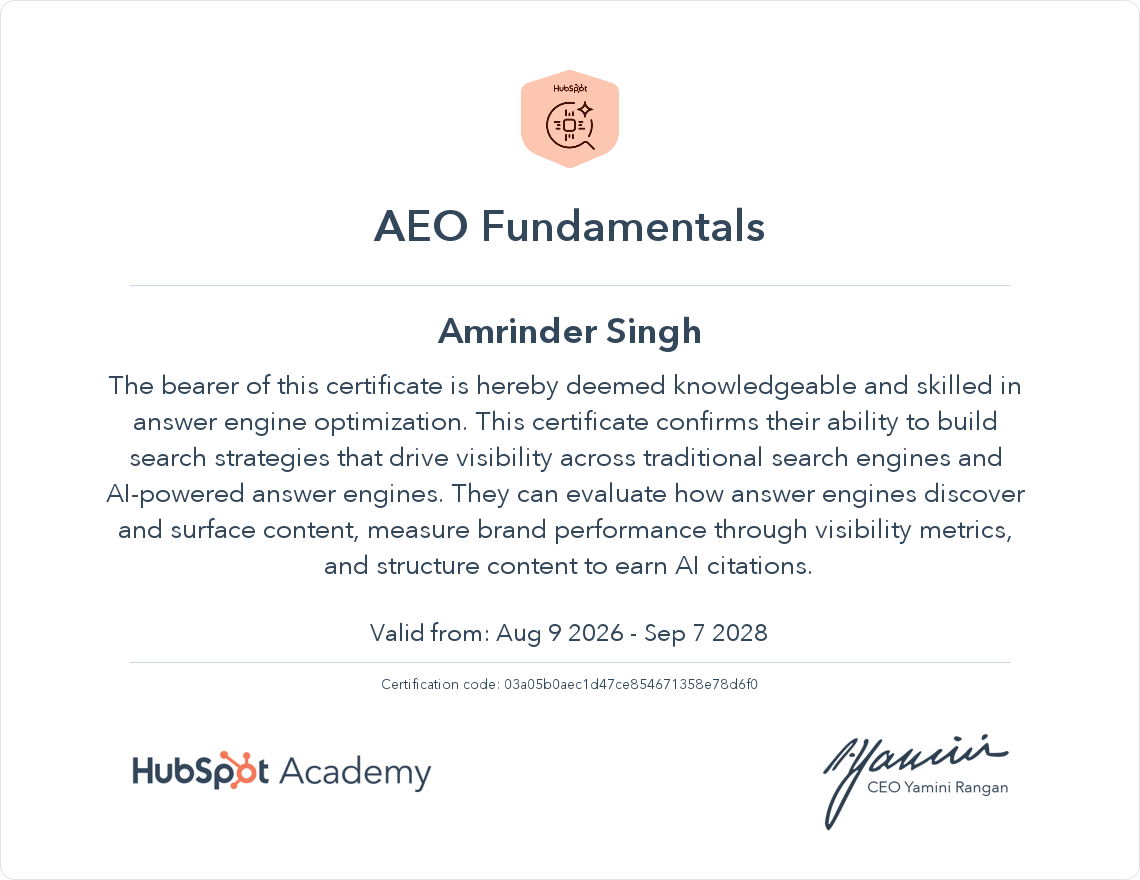
Amrinder Singh is a Semrush Certified SEO Expert with over 10 years of experience helping 200+ businesses across Delhi and India rank on Google, generate leads, and grow revenue through search. Founder of DigiUstad.com, he specialises in Local SEO, keyword strategy, Google Business Profile optimisation, and AEO for Indian SMEs, startups, and enterprise brands. His clients have achieved documented results including 510% increases in organic clicks within 6 months. For a free keyword research audit and SEO strategy session, visit digiustad.com or WhatsApp +91 97113 13885.